
You are on the move, in a waiting room, or on a lunch break, and a trotting race is starting at Vincennes in a few minutes. Your computer is far away, but your smartphone is in your pocket. With Infonet 5, access to trotting race data no longer depends on a fixed workstation. Everything goes through the mobile browser, with no app to install.
Infonet 5 on mobile: a browser access, not an app
Contrary to what the term “mobile tracking” suggests, Infonet 5 is not a downloadable app from the App Store or Google Play. It is a web platform accessible from the phone’s browser. This distinction changes the usage logic.
A mobile browser (Chrome, Safari, Firefox) is sufficient to connect. No need to free up storage space or manage updates. You open your browser, type in the address, and log in with your SETF credentials.
For regular users who want to save time, it is possible to log in to Infonet 5 on ABC Sports and save the page as a shortcut on the phone’s home screen. On iPhone, simply use the “Add to Home Screen” option in Safari. On Android, Chrome offers the same option via the menu. The shortcut behaves visually like an app, but it is still the browser working in the background.

Data available on the go: programs, entries, and results in trotting
Why consult Infonet 5 rather than a classic results site? Because the platform aggregates trotting data that public sites do not offer in this form.
On mobile, you will find the same sections as on a computer:
- The race programs with the list of entries, race conditions, and the relevant racetracks (Vincennes, Cabourg, Enghien, etc.)
- Detailed horse profiles: performance history, pedigree, associated trainer and driver
- Results race by race, including times per kilometer and margins at the finish
- Export certificates for industry professionals
The display adapts to the screen size. The results tables remain readable, even if a phone screen requires horizontal scrolling on the widest columns. The consultation is functional, not spectacular: we are not on a mobile-first interface with animations, but on a work tool that gets the job done on the go.
Integrating Infonet 5 with a streaming app for live coverage
Infonet 5 provides the data, the numbers, the histories. What it does not provide is live video of the races. To watch a trotting race live on your phone, you need to combine Infonet 5 with another tool.
Horse racing streaming apps now integrate video broadcasting directly into the app. The PMU app, for example, offers the full program, replays, and live streaming. Other options like Equidia also allow you to watch races in real-time.
The winning duo for the mobile turf enthusiast
The idea is simple: Infonet 5 serves as an information cockpit, while a streaming app broadcasts the race. In practice, this means opening two tabs or switching between the browser and the app.
On recent phones, split screen mode allows you to display both simultaneously. On Android, most models offer this natively. On iPhone, the feature is limited to iPads, but switching between apps remains quick.
This duo operation compensates for a real limitation of Infonet 5: the platform is designed as a data consultation tool, not as a broadcasting medium. Technical data on one side, the race image on the other.
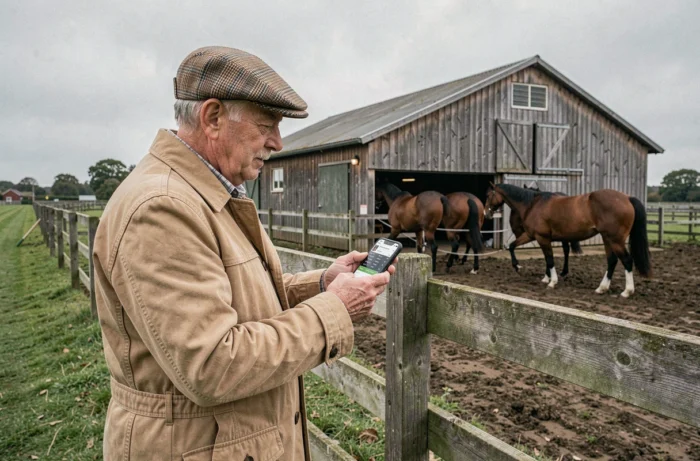
Connection quality and responsiveness: what conditions the mobile experience
You may have noticed that some web pages become unusable on 3G? Infonet 5, because it loads sometimes dense data tables, requires a decent connection to provide smooth navigation.
On 4G or 5G, the platform responds without noticeable delay. On public Wi-Fi (train station, café, racetrack), the quality varies depending on network saturation. The real point of concern is the connection in rural areas, where many French racetracks are located. If the network is weak, the tables take time to display.
Optimizing consultation in degraded network
Some practical reflexes help maintain smooth access:
- Load the entries page before arriving at the racetrack, when the connection is still good
- Close unnecessary tabs in the browser to free up RAM
- Disable automatic image loading in the browser settings if the network is very slow
These adjustments may seem basic, but they make the difference between a usable consultation and a blank page that spins endlessly.
Mobile tracking of trotting races with Infonet 5 is based on a direct principle: a browser, credentials, an internet connection. No dedicated app to download, no additional subscription beyond SETF access. The real limit remains the mobile network, especially in poorly covered areas. For the rest, the trotting data keeps pace with you.